
At a glance
- Minimum deposit
- $100
- Platforms
- MetaTrader 4, MetaTrader 5, cTrader, Proprietary FxPro App, TradingView
- Regulators
- FCA, CySEC, SCB, FSCA
- Leverage
- 500
Our Verdict on FxPro
4.2/5Overall score
Risk warning: CFDs and leveraged trading can lead to rapid losses. You may lose money, so make sure you understand the risks before trading.
FxPro suits intermediate CFD traders choosing among MetaTrader, cTrader, TradingView and a proprietary mobile app. Its account range also lets traders compare spread-markup pricing with raw spreads and separate commissions. The central trade-off is that this platform and pricing choice sits alongside entity-specific limits on leverage, product access and investor compensation. FxPro is therefore a more considered fit for traders willing to match their account to both their workflow and contracting entity than for clients expecting uniform terms across regions.
| Best for | Intermediate CFD traders comparing MetaTrader, cTrader and FxPro’s own platform. |
|---|---|
| Not ideal for | Traders who need the same leverage, product access and compensation terms across jurisdictions. |
| Biggest strength | A range of platforms and account pricing models, including Standard, Raw+, Elite and cTrader. |
| Main drawback | Leverage, product access and investor protection vary by entity, client status and jurisdiction. |
How we reviewed it: This review compares FxPro’s stated account, pricing, regulatory, platform, market and funding terms. It does not claim first-hand testing of account opening, execution or withdrawals. See our review methodology.
What stands out
- Offers MT4, MT5, cTrader, TradingView and a proprietary mobile app.
- Provides both spread-markup Standard pricing and commission-based raw-spread account options.
- Lists multiple market analysis and educational resources.
- Supports copy trading through cTrader.
What to consider
- Leverage, product availability and investor compensation depend on jurisdiction and contracting entity.
- Raw+ and cTrader charge separate FX commissions in addition to spreads.
- A $5 monthly inactivity fee begins after six months.
FxPro at a Glance
| Feature | Broker disclosures and checked findings |
|---|---|
| Founded | 2006 |
| Regulator / licence | FCA (509956, UK); CySEC (078/07, Cyprus); FSCA (45052, South Africa); SCB (SIA-F184, Bahamas). The contracting entity depends on the client’s location. |
| Minimum initial deposit | $100 listed as the minimum; account-specific terms may vary. |
| Account types | Standard, Raw+, Elite and cTrader |
| Trading platforms | MetaTrader 4, MetaTrader 5, cTrader, FxPro app and TradingView |
| Markets | Forex, indices, commodities, stocks, cryptocurrencies and ETFs, offered as CFDs or leveraged FX products. |
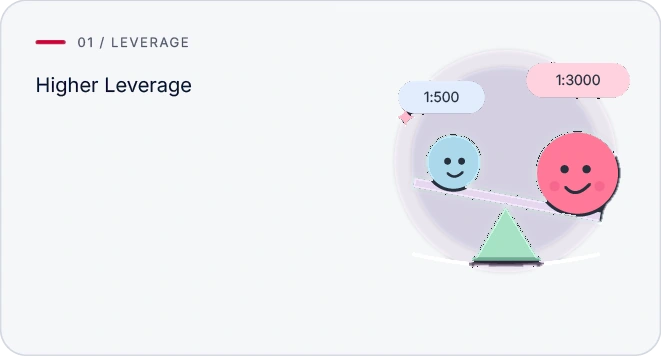
| Maximum leverage | Up to 1:500 for eligible international clients and instruments; limits depend on jurisdiction, client status and product. |
| Account / funding currencies | USD, EUR, GBP, CHF, JPY, PLN, AUD and ZAR |
| Demo account | Yes |
Is FxPro Safe, Legit and Regulated?
4.3/5Area score
Overall review score: 4.2
FxPro uses several regulated entities: FxPro UK Limited is FCA-regulated under licence 509956, FxPro Financial Services Ltd is authorised by CySEC under licence 078/07, a South African group entity is FSCA-authorised, and FxPro Global Markets Ltd is regulated by the SCB in the Bahamas. Which entity serves a client determines the applicable regulatory framework and protections; the arrangements are not interchangeable.
Regulation and Client Protections
| Regulatory question | Documented finding and limitations |
|---|---|
| Contracting legal entities | FxPro Financial Services Ltd (EEA / Cyprus); FxPro UK Limited (United Kingdom); FxPro Financial Services Ltd / South Africa-authorised group entity (South Africa (or clients routed to SA entity)); FxPro Global Markets Ltd (International / Bahamas entity (subject to exclusions)) |
| Regulators / jurisdictions | CySEC (EEA / Cyprus); FCA (United Kingdom); FSCA (South Africa (or clients routed to SA entity)); SCB (Bahamas) (International / Bahamas entity (subject to exclusions)) |
| Licence / registration | CySEC: 078/07; FCA: 509956; FSCA: 45052; SCB (Bahamas): SIA-F184 |
| Client-money arrangements | FxPro says client funds are held separately from company operational funds. This is not a guarantee against trading losses or company failure. |
| Negative balance protection | FxPro states that negative balance protection applies to clients. Check the terms for the account and entity you use. |
| Investor compensation | Qualifying UK investment claims may be covered by the FSCS up to £85,000. Cyprus ICF compensation is capped at the lesser of 90% of a covered claim or €20,000. Normal trading losses are excluded; Bahamas clients do not receive the same compensation cover. |
Segregated client funds and negative balance protection address different risks: the former separates client money from company operational funds, while the latter is intended to limit eligible clients’ liability to the funds in their account. Neither prevents trading losses. Compensation applies only to qualifying claims, not normal trading losses, and the Bahamas entity does not carry the UK or Cyprus compensation cover.
FxPro Fees, Spreads and Commissions
3.0/5Area score
Overall review score: 4.2
Compare the account’s spread and any commission together, then factor in holding and account-maintenance costs. A spread-only structure avoids a separate FX lot commission, while raw-spread pricing adds a commission; overnight swaps and currency conversion can also affect the total cost.
Spreads, Commissions and Total Trading Costs
Standard lists variable FX spreads from 1.2 pips and no FX lot commission. Raw+ quotes raw FX and metals spreads from 0.0 pips with a $3.50 commission per side per standard FX lot; cTrader pricing likewise applies a $3.50-per-side commission for standard FX lots, with its detailed comparison listing spreads from 0.2 pips. Elite uses raw FX pricing and commission, with volume rebates for eligible clients. These are account pricing descriptions, not guarantees of the spread available at a particular moment.
Other Trading and Non-Trading Fees
| Fee | Amount / trigger | Conditions |
|---|---|---|
| Overnight financing, swap or margin interest | You may pay or receive an overnight swap if a position stays open past rollover. The amount changes with the instrument, trade size, long or short position, interest rates and holding period. | Swaps are worked out for qualifying trades carried into the next day. Rates can differ by market, position size, long/short direction and time held. |
| Currency conversion | You may be charged for converting money between your account currency and another currency, including for trading or settlement. Fees vary by entity, product and conversion method. | A fee or markup may apply whenever money moves between the account’s currency and another currency, including when trading. The applicable rate varies by entity and method. |
| Inactivity | After 6 months of inactivity, the fee is $5 a month. | The $5 monthly charge starts once the account has been inactive for 6 months. |
| Deposits / withdrawals | Deposit: No; Withdrawal: No | Deposit: No general broker deposit fee is listed (method-specific or third-party charges may apply); Withdrawal: FxPro normally charges no broker withdrawal fee; an e-wallet withdrawal fee may apply if the client has not traded, and providers or banks may charge separately. |
For frequent FX trading, compare the spread and per-side commission against the way you trade rather than treating the raw spread alone as the cost. Longer holding periods can add or earn swaps, while currency conversion may matter when the account and transaction currencies differ. The inactivity charge makes leaving an unused account open a separate cost to consider.
Which FxPro Account Should You Choose?
4.9/5Area score
Overall review score: 4.2
Standard is the clearest fit if you prefer no separate FX lot commission and accept a spread markup; its listed spread starts at 1.2 pips, and the account comparison states no fixed minimum. Raw+ and cTrader use raw FX and metal spreads plus a $3.50 commission per side per standard FX lot, so the choice depends on whether that pricing structure suits your trading. Elite also uses raw spreads and commission, with volume rebates for eligible clients. Funding follows the underlying account requirements, and leverage depends on jurisdiction and instrument.
FxPro Trading Platforms
4.7/5Area score
Overall review score: 4.2
Choose a platform around the task: MetaTrader and cTrader support automated strategies, TradingView centres on charting, and the FxPro app handles mobile trading and account management. The distinctions matter most if you need to develop or run automation rather than simply place and monitor trades.
Desktop, Web and Trading Platforms
| Platform | Availability | Evidence-backed strength or limitation |
|---|---|---|
| MetaTrader 4 | Web, Desktop, Mobile | MT4's main appeal for automated traders is its library of MQL4 bots and custom indicators. Expert Advisors need desktop MT4 or a VPS, rather than the web or mobile versions. |
| MetaTrader 5 | Web, Desktop, Mobile | Multi-asset tools and MQL5 Expert Advisors make MT5 useful beyond basic manual trading. Its full development and testing environment is desktop-only, although trades can be monitored elsewhere. |
| cTrader | Web, Desktop, Mobile | cTrader supports custom cBots in C# or Python, along with cloud execution. You build and backtest bots on desktop; cloud availability and limits can vary by broker. |
| Proprietary FxPro App | Mobile | The FxPro app is for trading, watching positions and managing your account on mobile. There's no documented way to code trading bots in the app; FxPro's specialist trading platforms handle that separately. |
| TradingView | Web, Desktop, Mobile | Its strength is charting and testing ideas in Pine Script. Alerts can send webhooks, but a separate service or compatible broker setup is needed to turn them into live orders. |
Automation is not equally self-contained across the choices: MT4 Expert Advisors need desktop MT4 or a VPS, MT5 development and testing are desktop-only, and TradingView alerts need a separate service or compatible broker setup to become live orders. Traders choosing on automation should therefore consider where strategies can be built and executed, not just which interfaces are available.
Markets and Instruments Available
4.8/5Area score
Overall review score: 4.2
| Asset class | Products offered | Restriction |
|---|---|---|
| Forex | Leveraged FX (CFD / rolling spot); 70 | Forex trading involves leverage. Available currency pairs and margin requirements depend on the account. Eligible clients may use leverage up to 1:200. |
| Indices | Index CFDs; 19 | Index CFDs let traders follow an index’s price without owning its constituent shares. Cash and futures contracts may have different trading hours, terms and financing costs. Eligible clients may use leverage up to 1:200. |
| Commodities | Commodity CFDs; 46 | Commodity CFDs track prices without requiring physical delivery. Trading hours vary by contract. Financing charges may also apply. Eligible clients may use leverage up to 1:200. |
| Stocks | Stock CFDs; 1832 | Trading stock CFDs does not make you a shareholder or give you voting rights. Holding a position overnight may result in financing costs. Leverage can reach 1:25 for eligible clients. |
| Crypto | Crypto CFDs; 37 | Crypto-linked contracts provide exposure to price movements, not ownership of the coins. Availability depends on the region and account type. UK retail clients cannot trade these derivatives. Eligible clients in permitted jurisdictions may use leverage up to 1:20. |
| ETFs | ETF CFDs; 46 | ETF CFDs let traders follow fund prices without buying the ETF units. The ETFs available and their margin requirements depend on the account and region. |
These products provide leveraged price exposure, not ownership of the underlying assets: stock CFDs confer no shareholder or voting rights, ETF CFDs do not give you fund units, and crypto CFDs do not give you coins. Forex is listed as leveraged FX (CFD / rolling spot). Access is not uniform; for example, UK retail clients cannot trade the listed crypto derivatives, and leverage eligibility varies by product and client.
Execution, Trading Tools and Research
4.6/5Area score
Overall review score: 4.2
FxPro’s research and learning material—market analysis, trading ideas, signals, an economic calendar, sentiment, a currency heatmap, webinars, videos and market guides—can support market monitoring and trading education. These resources are distinct from execution: the broker also lists Level II/full depth of market, VWAP execution and advanced order protection, but warns that sharp or rapid market moves can produce fills either side of the intended price. That warning is not a measured execution result. Automation is available through MT4/MT5 Expert Advisors and cTrader cBots; cTrader also supports copy trading.
FxPro Deposits, Withdrawals and Account Opening
4.6/5Area score
Overall review score: 4.2
The general minimum deposit listed is $100, though the Standard account comparison does not specify a fixed minimum and account-specific funding requirements apply. Complete the live-account verification process before planning to trade or withdraw.
Account Opening and Identity Verification
FxPro requires KYC verification for live accounts. The stated documents are a passport, national ID or driving licence, plus proof of residence issued within the previous six months. The broker says verification typically takes one business day. Full verification is required to fund, trade and withdraw from a live account.
Deposit and Withdrawal Methods
| Method | Deposit / withdrawal availability | Broker fee | Processing time |
|---|---|---|---|
| Bank transfer | Deposits are available; the minimum amount is not specified. Withdrawals are available; the minimum amount is not specified. | No broker fee applies to deposits. Provider or bank costs may apply. No broker fee applies to withdrawals. Provider or bank costs may apply. | Deposit processing time: International wire: 3–5 business days; local/SEPA often same day. Withdrawal processing time: up to 5 business days. |
| Debit / credit card | Deposits are available; the minimum amount is not specified. Withdrawals are available; the minimum amount is not specified. | No broker fee applies to deposits. Provider or bank costs may apply. No broker fee applies to withdrawals. Provider or bank costs may apply. | Deposit processing time: Usually within 10 minutes. Withdrawal processing time: 10 business days. |
| E-wallets | Deposits are available; the minimum amount is not specified. Withdrawals are available; the minimum amount is not specified. | No broker fee applies to deposits. Provider or bank costs may apply. No broker fee applies to withdrawals. Provider or bank costs may apply. | Deposit processing time: Usually within 10 minutes. Withdrawal processing time: up to 1 business day. |
| Crypto | Deposits are available; the minimum amount is not specified. Withdrawals are available; the minimum amount is not specified. | No broker fee applies to deposits. Provider or bank costs may apply. No broker fee applies to withdrawals. Provider or bank costs may apply. | Deposit processing time: 10 minutes. Withdrawal processing time: up to 1 business day. |
Customer Support
Support is listed as available 24/5 by live chat, WhatsApp, Telegram, Messenger, email and telephone. The listed contact details are [email protected] and +44 (0) 20 7776 9720. Support is offered in multiple languages, including English, Arabic, Chinese, French, German, Spanish, Portuguese, Russian, Japanese and Korean.
Who Should Choose FxPro?
FxPro is a plausible fit for intermediate CFD traders who want to choose their platform and pricing model rather than use a single prescribed setup. Platform choice is especially relevant for traders comparing MetaTrader or cTrader automation with TradingView charting; the account decision then turns on spread-markup versus commission-based FX pricing. Its entity-dependent protections and product access also make the client’s contracting company part of that decision.
| Profile | Fit | Decisive reason |
|---|---|---|
| Intermediate trader choosing between platforms | Good | Offers MT4, MT5, cTrader, TradingView and a proprietary mobile app. |
| Active FX trader comparing pricing models | Conditional | Standard has no FX lot commission; Raw+ and cTrader charge commission alongside raw pricing. |
| Trader seeking consistent protections in every jurisdiction | Poor | Contracting entity, leverage limits and compensation coverage differ by location. |
FxPro vs Alternatives
 Libertex1:999Maximum leverageDetailed Review
 Capital.com
- No inactivity fee
- No commission
 AdmiralsStocks, ETFs, Bonds, Forex Pairs, Indices, Commodities, CryptocurrenciesDetailed Review
 ActivTradesFCA, SCB, BACEN & CVM, CMVM, FSCDetailed Review
For FX, the practical dividing line is whether avoiding a separate lot commission matters more than the spread markup: Standard takes the first approach, while Raw+ and cTrader combine raw pricing with commission.
FAQs
Which regulator oversees my FxPro account?
Your contracting entity determines the regulator. FxPro lists FCA regulation for FxPro UK Limited, CySEC for FxPro Financial Services Ltd, FSCA authorisation for a South African group entity, and SCB regulation for FxPro Global Markets Ltd in the Bahamas. The entity named in your client agreement is the relevant one.
What is the minimum deposit at FxPro?
The general minimum deposit listed is $100. The Standard account comparison does not state a fixed minimum, and other account funding follows the underlying account’s requirements.
Does FxPro charge trading commissions?
Standard has no FX lot commission and uses a spread markup. Raw+ and cTrader charge $3.50 per side per standard FX lot on FX; Elite uses raw pricing and commission, with volume rebates for eligible clients.
Which platforms can I use with FxPro?
FxPro lists MetaTrader 4, MetaTrader 5, cTrader, TradingView and its proprietary mobile app. Platform features and availability differ; for example, MT4 Expert Advisors require desktop MT4 or a VPS.
Does FxPro offer real cryptocurrencies or crypto CFDs?
The listed crypto products are crypto CFDs, which provide exposure to price movements rather than ownership of coins. Availability depends on region and account type, and UK retail clients cannot trade these derivatives.
How long do FxPro deposits and withdrawals take?
Listed estimates vary by method. Card and e-wallet deposits are usually processed within 10 minutes; international bank transfers take 3–5 business days. Withdrawal estimates range from up to one business day for e-wallets and crypto to up to five business days for bank transfers; card withdrawals are listed at 10 business days.